
Alternatively to Lookup Data Tables, Editable Data Tables provide the ability to not only view data but also create and edit data within a table.
If combined with a mapping, this becomes a concise way to view and manipulate record data within Smart Forms.
NOTE: An editable data table can include a lookup data table as a column. For more information on record lookup data tables, see this article: Record Lookup Data Table
How to Create an Editable Data Table
Editable Data Tables are created within the Smart Forms designer via the Loop element. Once the element has been dragged onto the designer, you are given the option to create a Normal Loop (One at a time) or an Editable Data Table (Table).
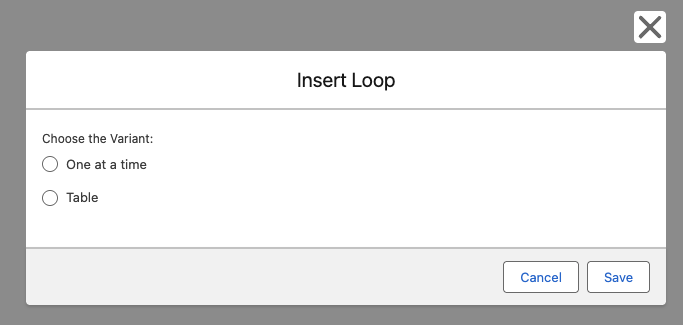
Figure 1 - Choose Loop Variant
After choosing the Loop Variant, place the Form Elements under the Loop in the Designer (Figure 2).
As with a normal loop, you can place any Form Element inside of it, however instead of looping normally, the Table variant will treat individual element as a column for the table.
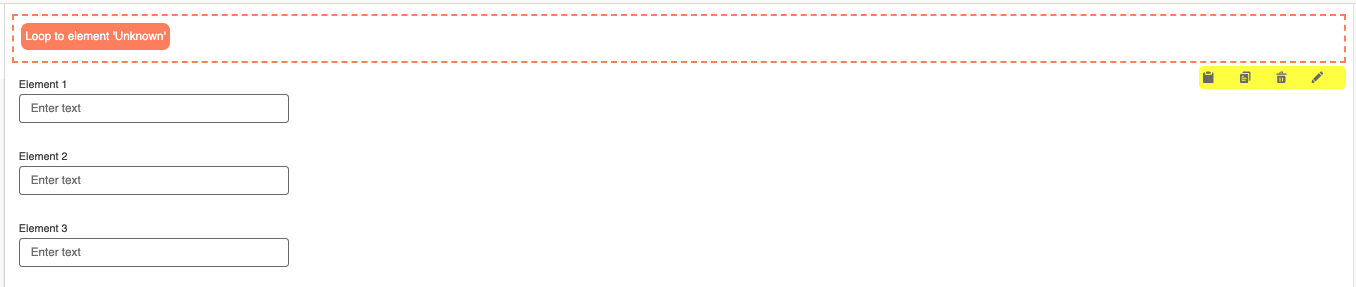
Figure 2 - Form Designer: Empty Loop
Now edit the Loop Element, navigate to the Loop Tab and change the 'Element to end loop' to the last element you want to include in the Editable Table (Figure 3). This will change the orange dotted border on the designer to include the elements selected (Figure 4). Under the Loop tab you can also change the maximum number of rows you want in the table.
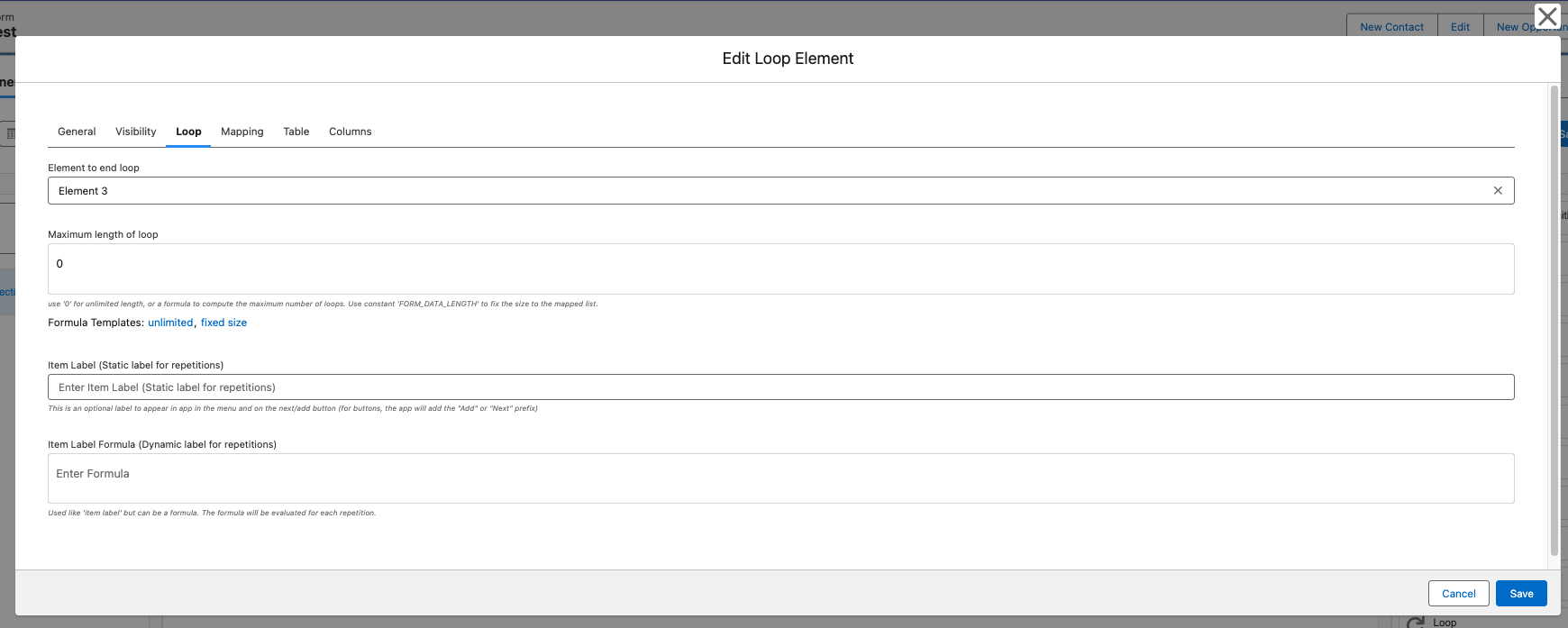
Figure 3 - Edit Loop Modal
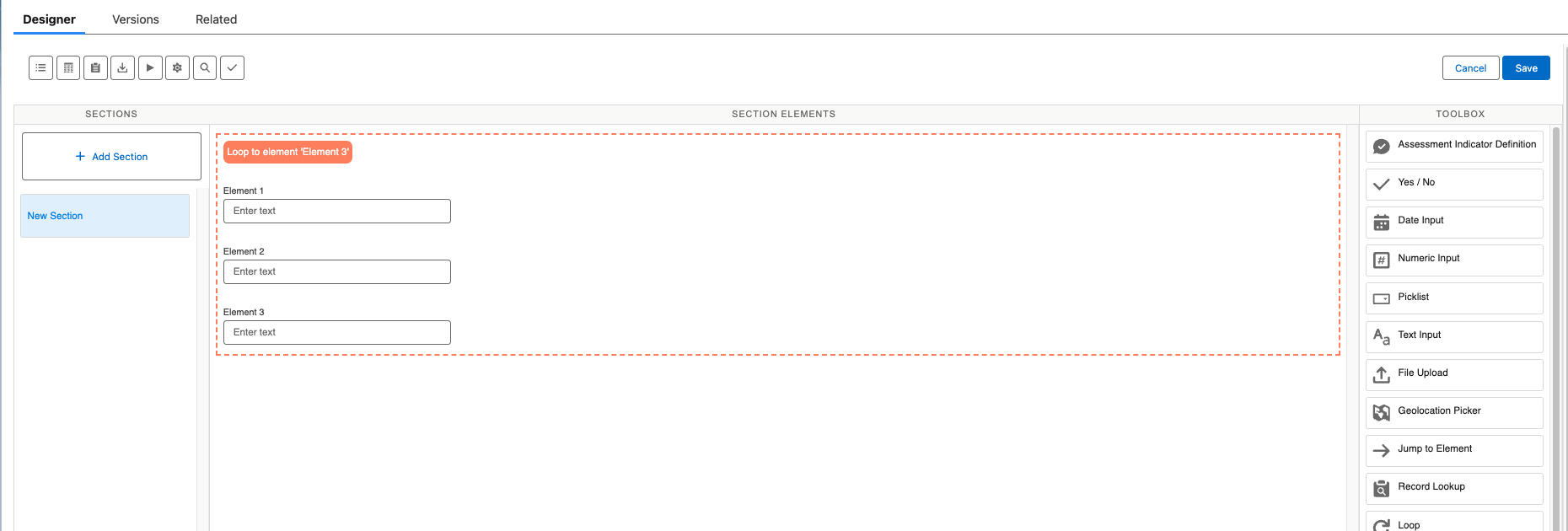
Figure 4 - Form Designer: Filled Loop
As with the Record Lookup Tables, we have the same extra tabs under the Edit Loop Modal. This includes 'Table' where you can set a min/max height for the table, and 'Columns' where you can change the Labels and Datatype of the column.
Editable Data Tables in the Axsy App
Editable Data Tables will appear on the app as shown in Figure 5, with each of the elements occupying a column. You can change the number of rows in the Table by pressing the '+' and '-' buttons. This can be limited by the 'Maximum Length of Loop' setting shown in Figure 3.
Each of these elements can now be used as normal to input new data.
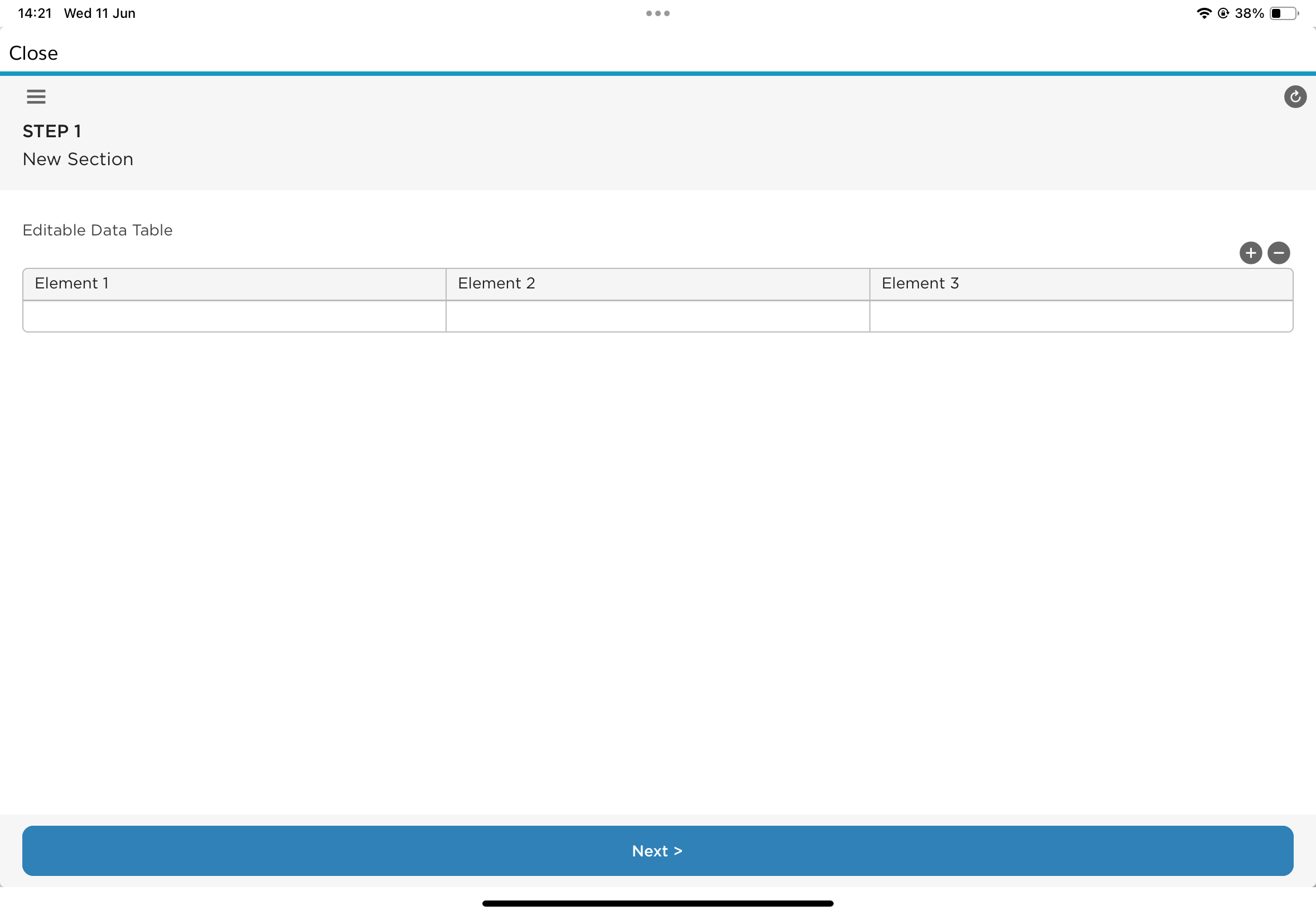
Figure 5 - Editable Data Table: In Axsy Mobile